
Live updates and settings
How the screen stays up to date
Section titled “How the screen stays up to date”When you open the Live screen, it connects to IR3 and loads everything you’re allowed to see. After that, IR3 sends each change as it happens, and the lists, map and open panel update straight away. You don’t need to refresh the page.
While the screen is loading, the lists show grey placeholder rows and a thin bar under the search box.
If the connection drops
Section titled “If the connection drops”If the connection is lost, a message says Live socket error, reconnecting. IR3 keeps trying to reconnect on its own, and the message only appears once. When it’s connected again, it loads everything afresh, showing the loading bar while it does, and then carries on updating.
If your access changes while the screen is open, it reconnects by itself to show what you can now see.
What’s included
Section titled “What’s included”To keep the screen focused on what’s current, it shows:
- Incidents that aren’t closed and were opened recently. Your organisation can choose grades that are always shown however old they are.
- People whose radio has reported recently and whose position is known.
- Alerts and events from the recent past.
- Objectives and scenes while they’re running. They appear when they start and go when they end, checked every minute.
How far back “recently” goes depends on your organisation’s set-up.
Settings tab
Section titled “Settings tab”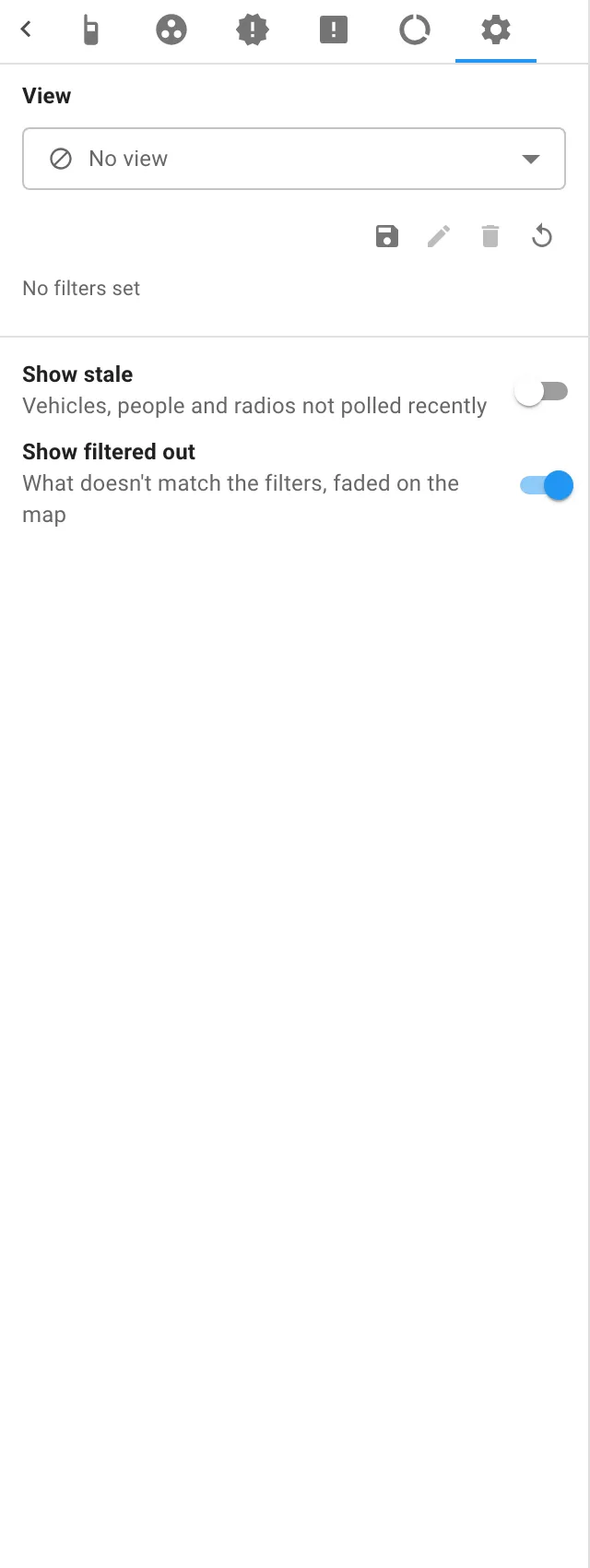
The Settings tab is the cog at the end of the sidebar’s tabs. It has your views, with a summary of what’s set, and two switches:
| Setting | What it does | To begin with |
|---|---|---|
| Show stale | Shows vehicles, people and radios that haven’t reported recently, in grey. See Stale items. | Off |
| Show filtered out | Shows what doesn’t match your filters, faded on the map. See Show filtered out. | On |
IR3 remembers both switches on your computer, and a view can set them too.

IR3 is made by Lightbulb Analytics Ltd. © 2026