
Live
The Live screen shows what’s happening now. Vehicles, people, incidents, objectives, locations and more appear on a map and in lists, and they update as soon as IR3 hears about a change. Use it to see who’s where, who’s attached to an incident and how soon they’ll arrive, and which alerts need someone to claim them.
Open it from Live in the side menu.
The screen at a glance
Section titled “The screen at a glance”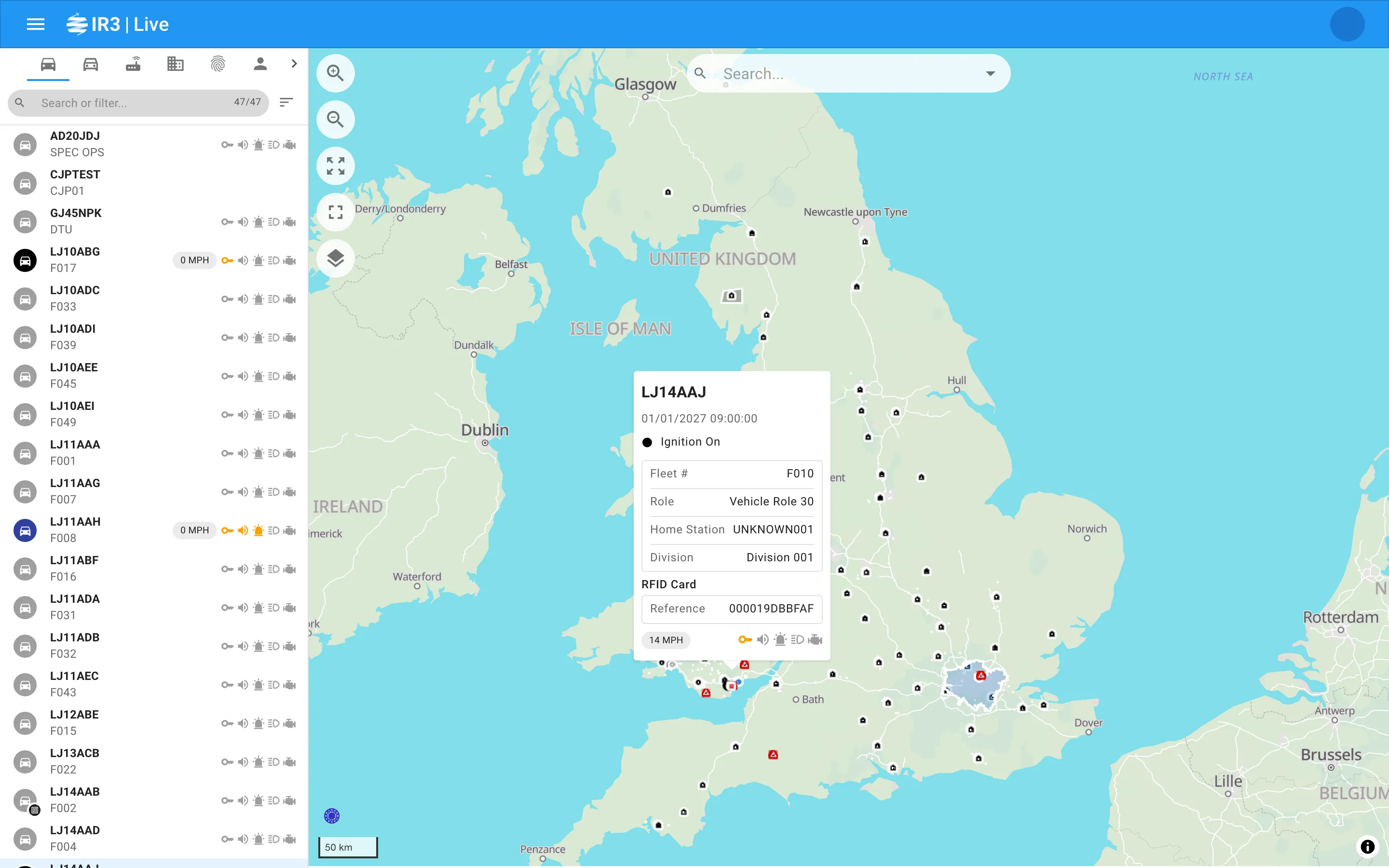
- The sidebar on the left has a row of icon tabs across the top, one for each type of item, with a Settings tab (the cog) at the end. Below the tabs are a search and filter box and the list for the tab you’ve chosen.
- The map fills the rest of the screen. It shows every type at once, not just the tab you’re on.
- Opening an item, from its row or from the map, replaces the list with its detail panel. Use the back button in the app bar to return to the list, which is just as you left it.
Each item has its own web address, so you can bookmark an item or share a link to it.
The tabs
Section titled “The tabs”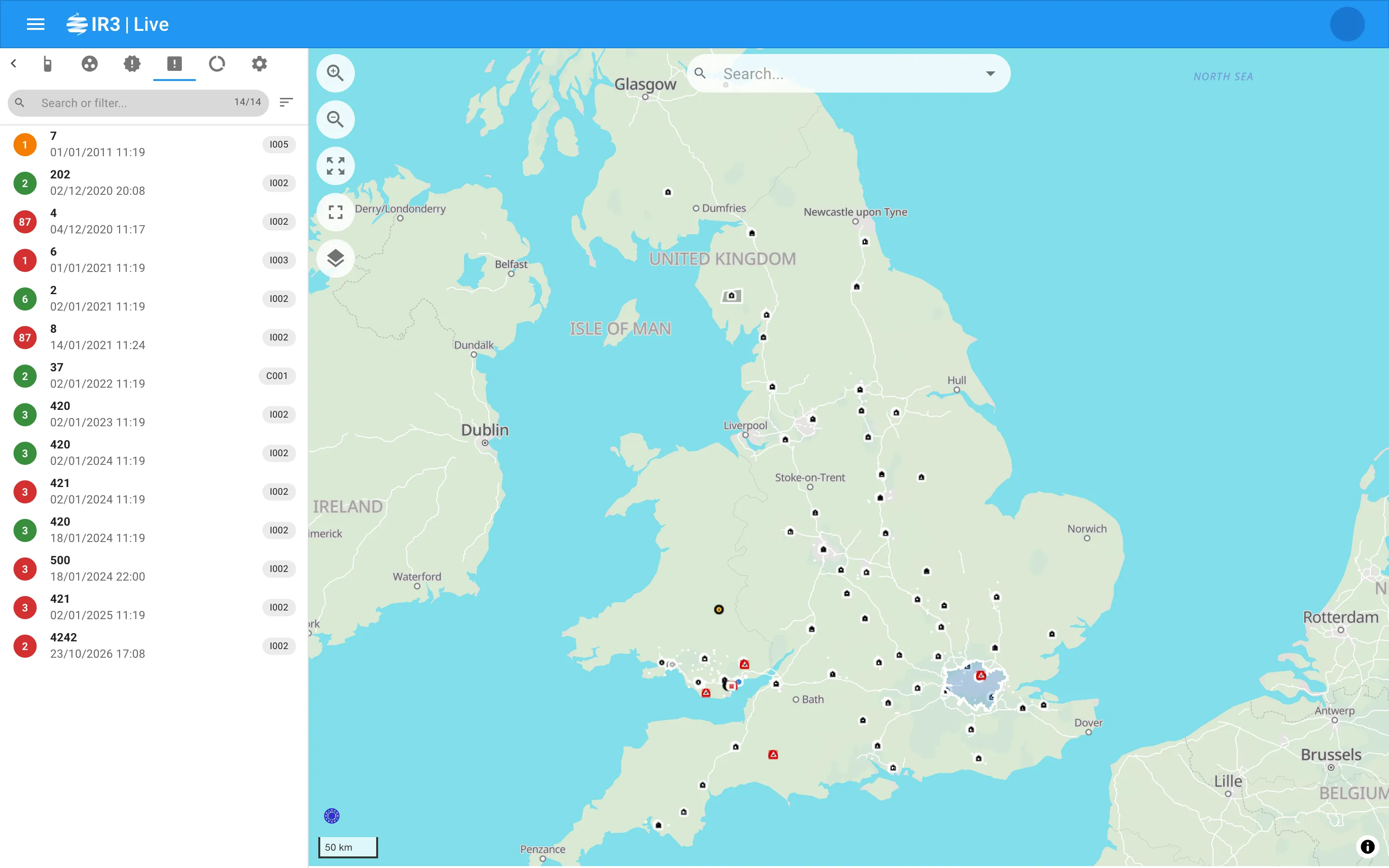
Hover over a tab’s icon to see its name. The tabs are, in order:
| Tab | What it lists |
|---|---|
| Vehicles | Your force’s vehicles that have a tracker fitted |
| External Vehicles | Other forces’ vehicles shared with you |
| Trackers | Trackers that aren’t fitted to a vehicle |
| Locations | Locations such as bases and workshops |
| Scenes | Scenes set up in briefs to show on the live map, while they’re running |
| People | People whose radio has reported recently |
| External People | Other forces’ people shared with you |
| Radios | Radios that aren’t assigned to anyone |
| Call Signs | Call signs in use by the people and vehicles shown |
| Events | Accelerometer alerts and events |
| Incidents | Open incidents |
| Objectives | Current and upcoming objectives |
A small coloured dot on a tab’s icon means a search or filter is hiding some of that tab’s items.
Who sees which tabs
Section titled “Who sees which tabs”You see a tab only if you’re allowed to see that kind of information, so your tabs may differ from a colleague’s. Everyone sees Trackers and Radios, and Call Signs appears whenever People does.
Depending on your organisation’s set-up:
- Scenes may not be shown.
- External Vehicles and External People may not be shown.
- A fleet-only set-up shows just Vehicles, Trackers and Locations.
In this section
Section titled “In this section”
IR3 is made by Lightbulb Analytics Ltd. © 2026